Introduction
Hello everyone, I’m Leng Yi. Today, I will test Kimi’s latest full-stack assistant, “OK Computer.”
A few days ago, I received a thank-you letter from Kimi, expressing gratitude for my support last year. They offered me a membership equivalent to my donation amount, allowing me to experience the latest model capabilities first.
Honestly, I was surprised that Kimi remembered its early supporters. So, I eagerly upgraded to their top-tier Moderato membership (which allows 20 uses of “OK Computer”) and received an additional 5 months of membership.
After upgrading, I quickly received an invitation to test “OK Computer” (all supporters also received priority invites).
What is OK Computer?
“OK Computer” is Kimi’s new Agent mode, designed to provide more intelligent capabilities through increased reasoning rounds, tool usage, and token consumption. It can autonomously plan and execute tasks from requirement research to product proposals, interaction design, and front-end development, ultimately delivering high-quality full-stack development tasks.
In simple terms, it works efficiently and intelligently.
01 First-Hand Experience with OK Computer
Recently, at the Yunqi Conference, I came across an interesting product called the “AI Exchange” (a platform connecting AI demanders and developers). I decided to see if I could use “OK Computer” to create a website prototype.
1) Developing the AI Exchange Website
To get started, I visited Kimi’s official website (kimi.com), selected “OK Computer,” and began using it (I could also see my usage quota).
Task Input:
Project Template: Build an online trading platform for AI demanders (buyers) and AI developers (sellers), providing a secure and efficient matching mechanism, supporting the release, purchase, negotiation, and display of AI-related services, products, and Agents.
Functional Requirements:
- User System Registration and Login: Support registration via phone number. User roles: demander (Buyer), developer (Seller), can be concurrent. Personal center:
- Buyer: Demand management, transaction records, favorite services.
- Seller: Service/model release, pricing management, transaction records.
- Release and Display of AI Services/Products: Developers can publish services by filling in service descriptions, functional scope, pricing (fixed price/bargaining), and delivery cycles. Display pages:
- Service detail page: functions, prices, case studies, ratings.
- Recommendation page: display based on popularity, ratings, transaction volume.
- Search and filter by price, tags, AI fields (e.g., voice, image, text, video), delivery cycles.
- Demand Release and Matching: Buyers can publish clear demands (e.g., “Need an image recognition Agent, budget 2000 yuan”). The system recommends suitable Sellers, or Sellers can bid.
- Transaction System: Supports bargaining and direct orders at fixed prices. Payment process: funds escrow, released after delivery confirmation. Order management: status transitions (pending confirmation → in development → pending delivery → completed/canceled).
- Credit and Evaluation: Completed orders allow Buyers to rate and evaluate Sellers. The platform displays developers’ credit levels and transaction histories.
- Display and Recommendations: Homepage sections: popular demands, quality developer recommendations, recent transaction displays. Dynamic wall: real-time scrolling of the latest transactions. Case library: showcasing quality success stories.
Let’s check the finished product.
Experience URL:
https://vcnj4jhe2thpy.ok.kimi.link/index.html
The overall functionality is comprehensive, matching my desired website prototype. How did it achieve this?
Upon receiving the task, Kimi immediately powered up (a virtual computer) to get to work.
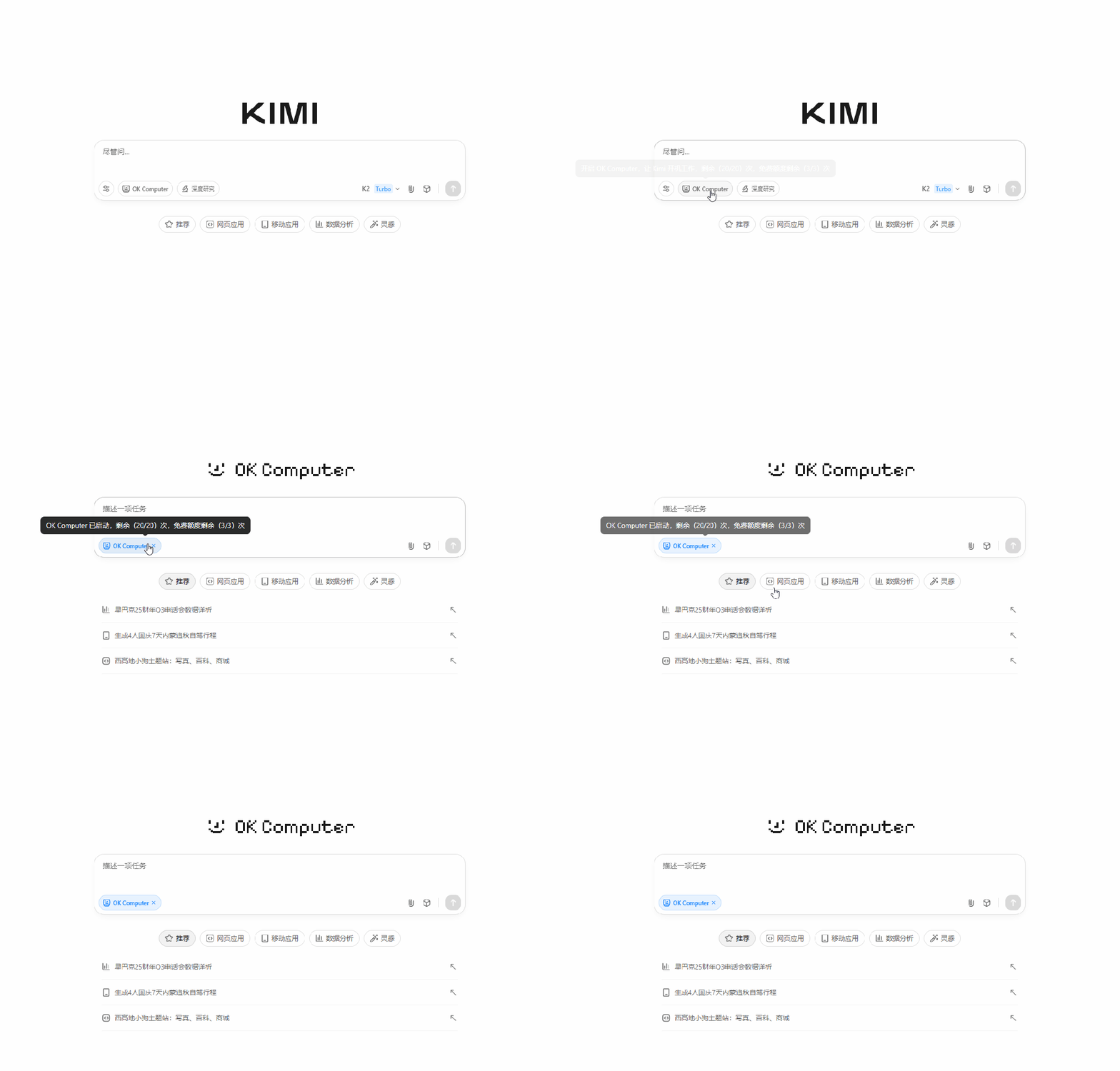
The first thing it did was act as a project manager, analyzing the entire requirement and breaking the project down into 11 sub-tasks.
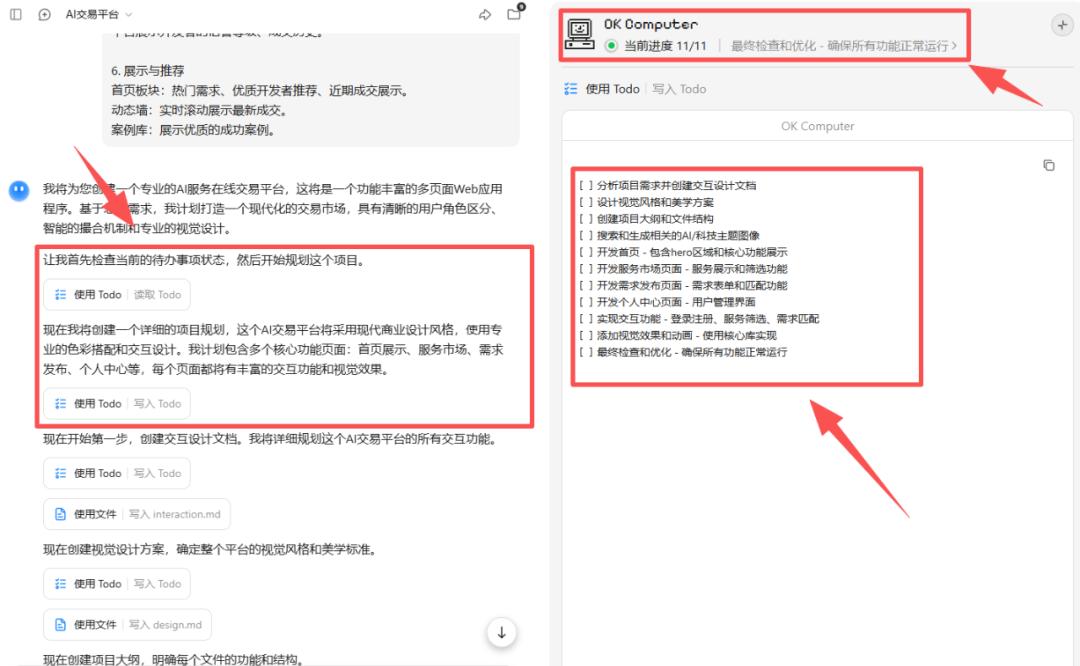
Next, it continued as a product manager and UI designer, writing the PRD (Product Requirement Document) and visual design plan, clarifying the website’s functionalities and visual design.
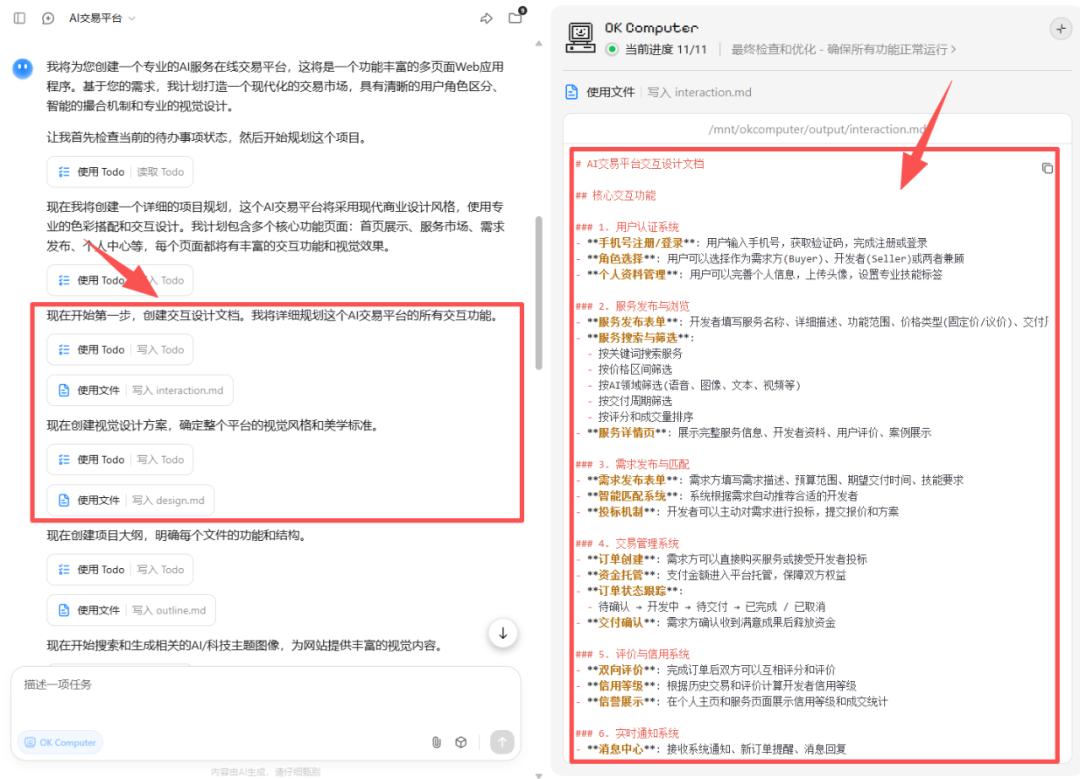
Since our website had a high demand for images, Kimi searched for relevant image materials and even generated a background image itself. It created a resource folder and downloaded everything.
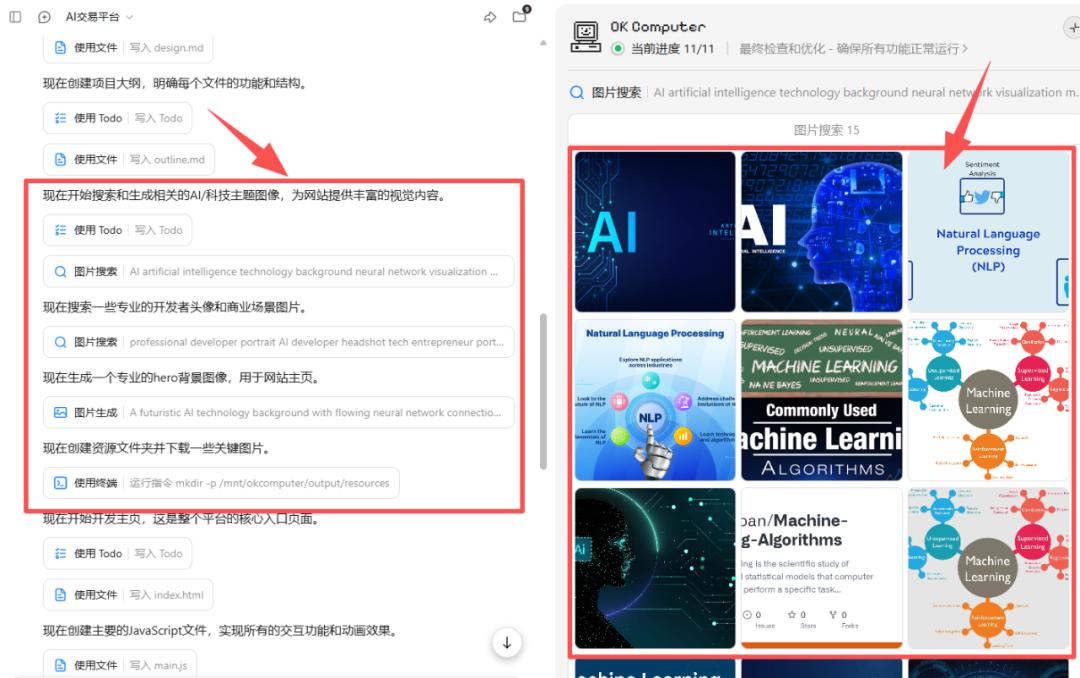
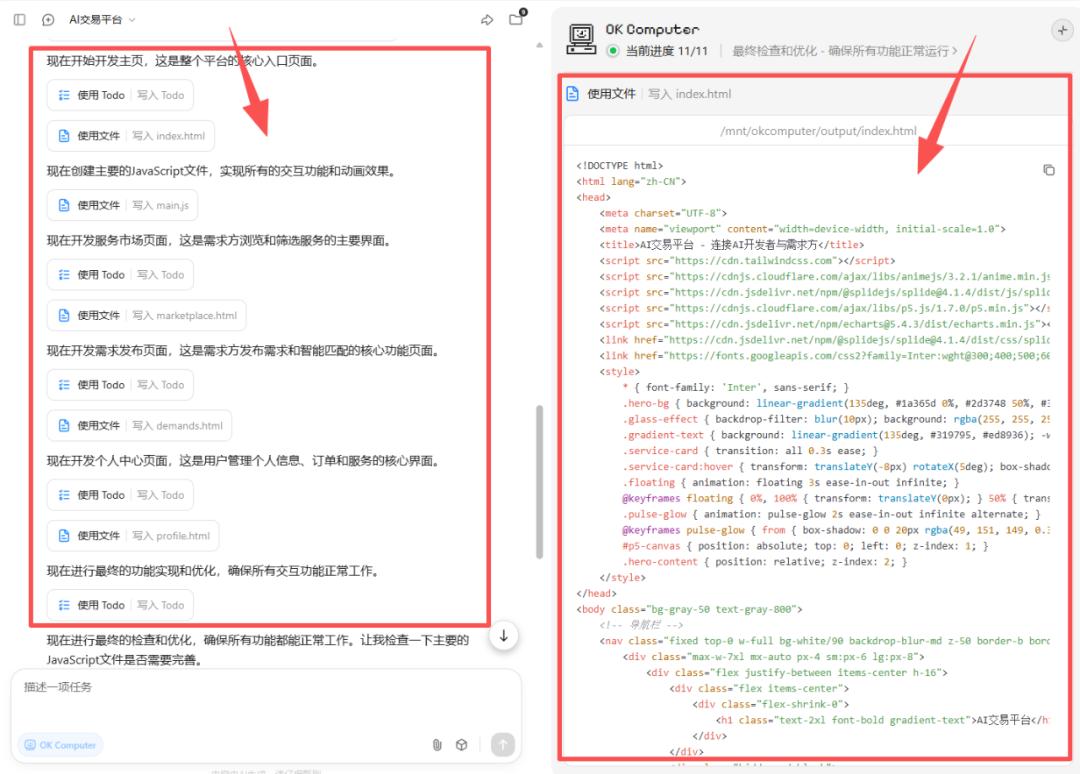
After that, it transformed into a front-end developer, creating HTML pages, including the homepage (index.html), service marketplace page (marketplace.html), demand release page (demands.html), and personal center page (profile.html).
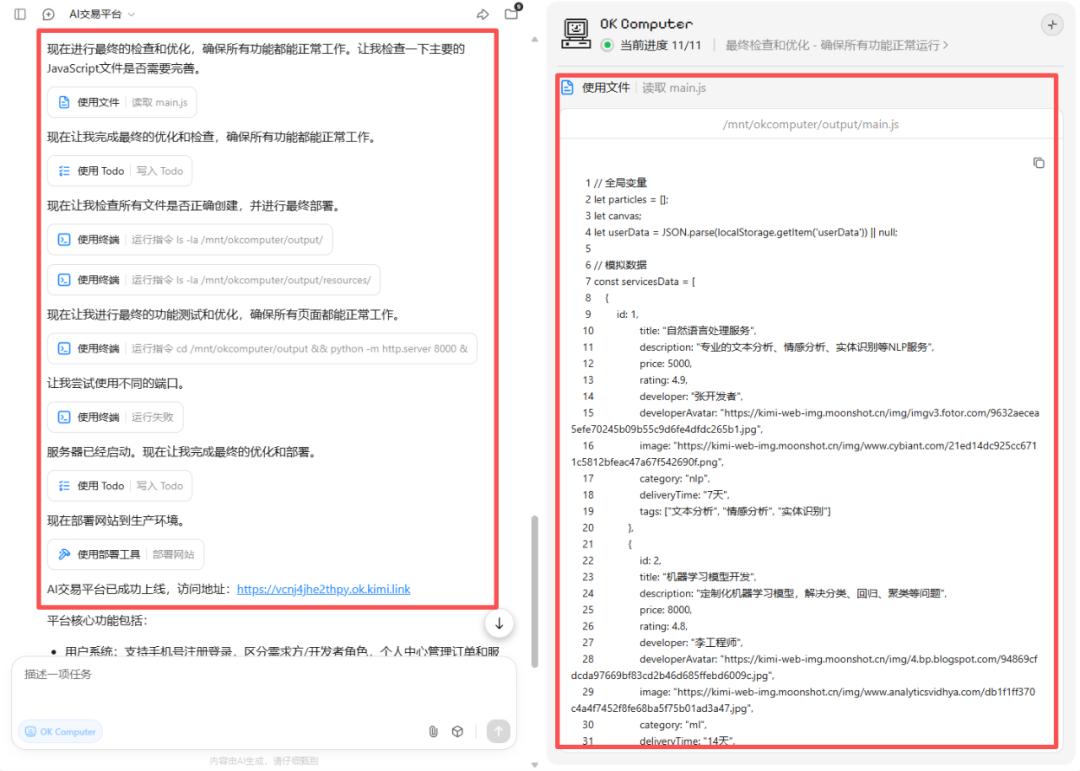
Finally, before deployment, Kimi acted as a testing engineer and operations engineer, performing final functionality tests and optimizations before deploying to the server.
During its first check, “OK Computer” identified a terminal failure and tried a new port, ultimately succeeding in deployment.
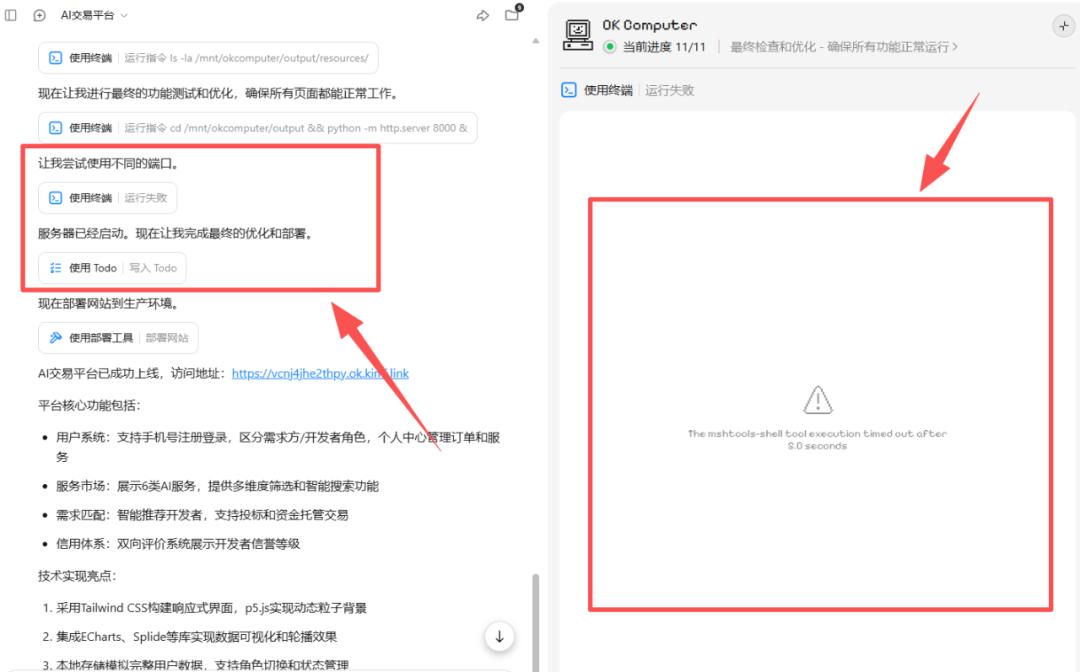
The final link was delivered to us, accessible publicly and shareable, working on both mobile and desktop.
Using the same prompt, I ran it again, this time with a more modern tech feel.
Experience URL:
https://kuleem2nugt64.ok.kimi.link/
2) Pixel Art Interview Program
Next, I had Kimi run a more complex task.
Prompt:
Project Goal: Create a complete pixel art web application simulating a Western TV news/music interview program, themed “Coldplay Concert Kiss-cam Incident and Public Privacy Discussion,” including 3 minutes of dual audio and 20 synchronized pixel art images. —#
Visual Style Requirements:
- Overall Style: 8-bit pixel art + Western TV news/concert broadcast elements (live broadcast corner, news ticker).
- Color Scheme: Retro game colors (#FF6B6B, #4ECDC4, #45B7D1, #96CEB4).
- Character Design: 2 pixel characters: Host (Western news anchor style) and Guest (media/cultural commentator style).
- Background Elements:
- Coldplay concert stadium stage.
- Large audience area (glow sticks, phone screens).
- Pixelated Kiss-cam large screen framing.
- Pixelated social media interface.
- Studio commentary scene.
Audio Content Requirements:
- Duration: 3 minutes (180 seconds).
- Language: English (news podcast style).
- Format: Dual conversation.
- Theme: Discussing the privacy and social media implications of the Coldplay concert kiss-cam incident.
- Structure:
- 0–30s Opening: Host introduces event background.
- 30–90s Event propagation chain (live screen → audience recording → social media).
- 90–150s Subsequent reactions (company investigation, artist response, fan culture).
- 150–180s Future outlook (privacy reminders, concert management, platform responsibilities).
Character Settings:
- Host (Anchor): Calm, professional.
- Guest (Commentator): Media/sociological analysis, explaining how the event became a global topic.
Image Generation Requirements:
- Quantity: 20 pixel art illustrations.
- Size: 320×240 (retro game console resolution).
- Switching Frequency: Every 9 seconds, synchronized with audio.
- Content Types:
- Character illustrations (6 images): Different expressions and poses of Host/Guest.
- Scene illustrations (8 images): 1. Studio scene (news anchor desk) 2. Stadium night scene (Coldplay stage lights, glowing audience) 3. Large screen Kiss-cam frame (crowd pixelated) 4. Close-up of fan area (waving glow sticks) 5. Social media interface (pixelated tweets/comments) 6. Company meeting room (silhouette style) 7. Coldplay stage background (lights and confetti) 8. News live graphic (“Privacy Debate”).
- Data visualizations (6 images): Popularity curve, retweet volume bar chart, propagation chain diagram, privacy risk matrix, fact-check process, future improvement checklist.
Prompt Template: [pixel art], [8-bit retro game style], [Western TV news broadcast + stadium concert scene], [bright retro colors], [320×240 resolution], [no real faces recognizable]—#
Web Function Requirements:
- Custom pixel art audio player.
- Audio and image timeline synchronization (switch every 9 seconds).
- Pixel UI control panel (play, pause, speed, subtitle toggle).
- Responsive design (desktop & mobile, maintaining pixel clarity).
Technical Implementation Plan
Step 1: Audio Generation
- Generate a 3-minute dual conversation in English using AI voice (two voice tones: Anchor/Commentator).
- MP3 format, 128kbps, 44.1kHz.
- Script divided into 4 segments (every 30 seconds, for synchronization).
Step 2: Image Generation
- Use pixel art model to generate 20 images, ensuring consistent color and style across stadium, stage, and news studio elements.
Step 3: Web Development
- Tech Stack: HTML5 + CSS3 + JS.
- Use Audio API for image carousel synchronization.
- CSS3 pixel animations (fade-in, blinking subtitle).
Compliance and Narrative Boundaries:
- Do not display recognizable private faces, only use mosaics/silhouettes for the audience.
- Focus discussion on public events, privacy issues, and cultural reactions.
- Add a footer statement: “This is a pixel-art simulation for educational and creative purposes, not depicting any individual.”
The final product is truly playable, with an appealing and fun interface. This prompt was quite a brain teaser.
Experience Link:
https://54kvxp256tfss.ok.kimi.link
3) Financial Report Analysis of Alibaba
Next, let’s try something simpler.
Prompt: Conduct a data-driven financial analysis of Alibaba, producing various charts (such as time series, comparisons, compositions, breakdowns, sensitivity, etc.), each with clear explanations and conclusions, presented in a slightly softer Neo-Brutalism style. Use Plotly for chart creation.
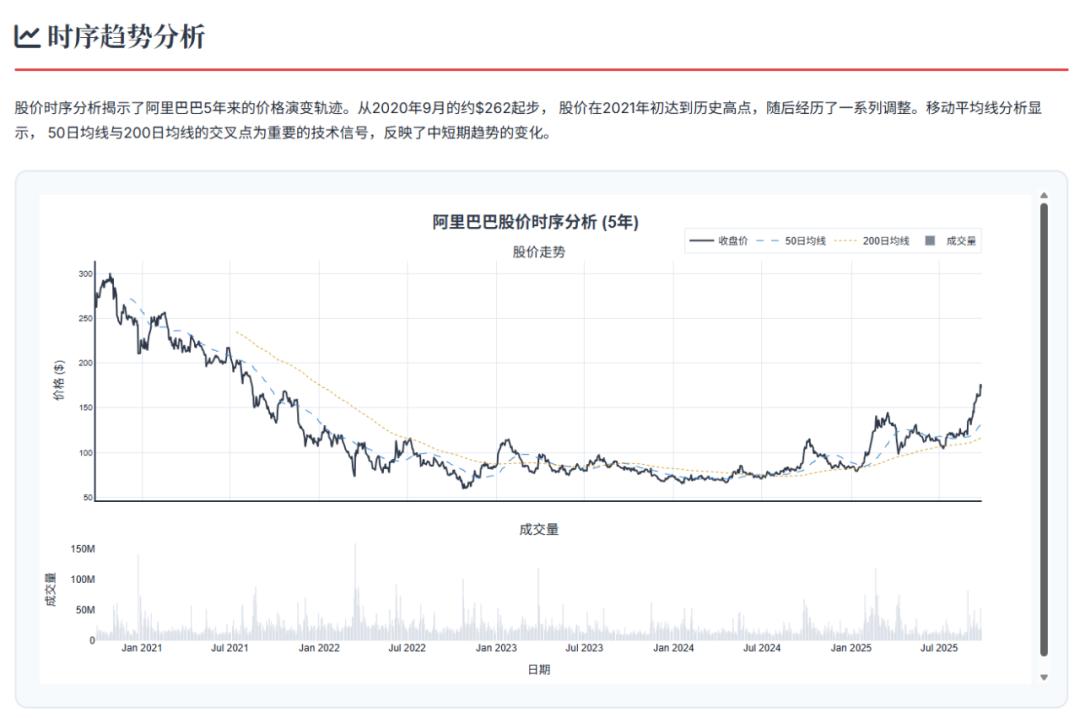
The resulting report is impressive, with all data being real and credible.
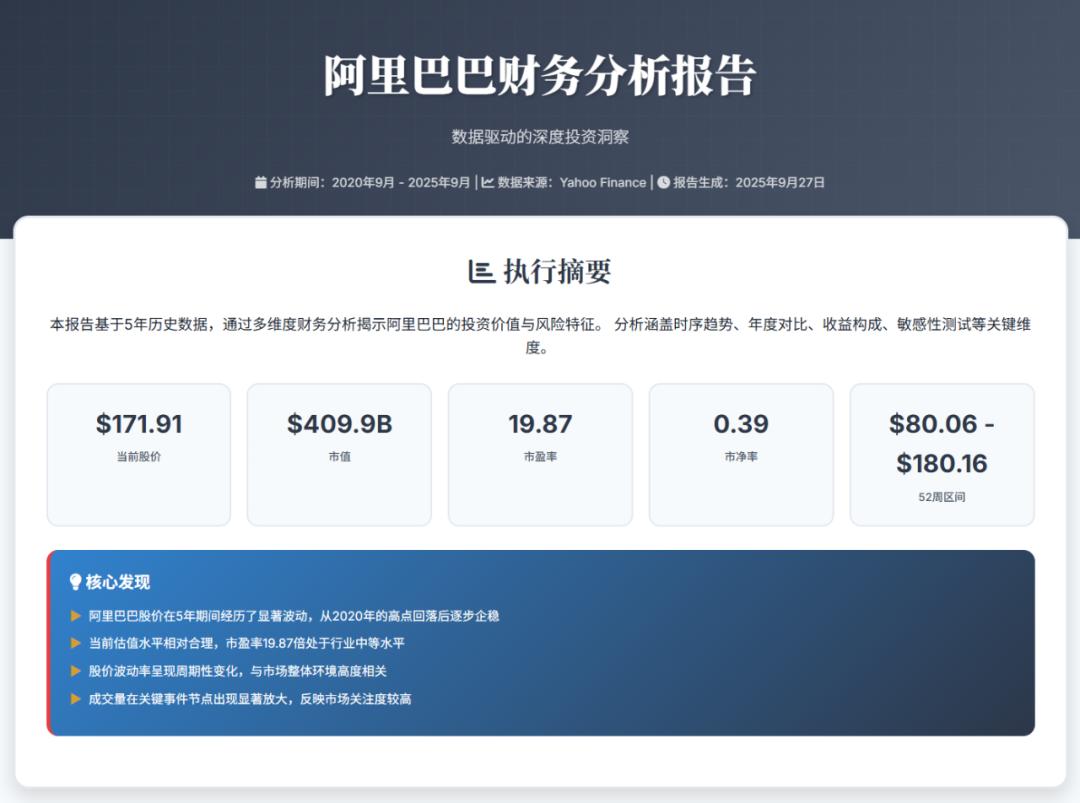
The stock price time series chart is more reliable and user-friendly than many financial websites.
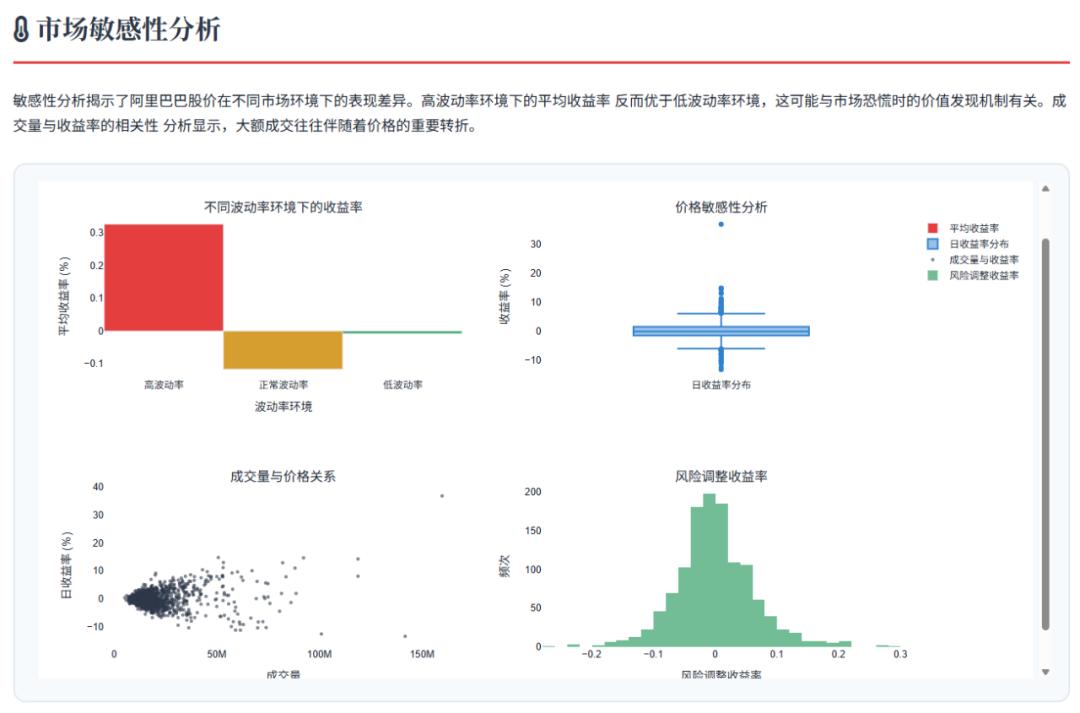
The market sensitivity analysis is typically considered premium content elsewhere.
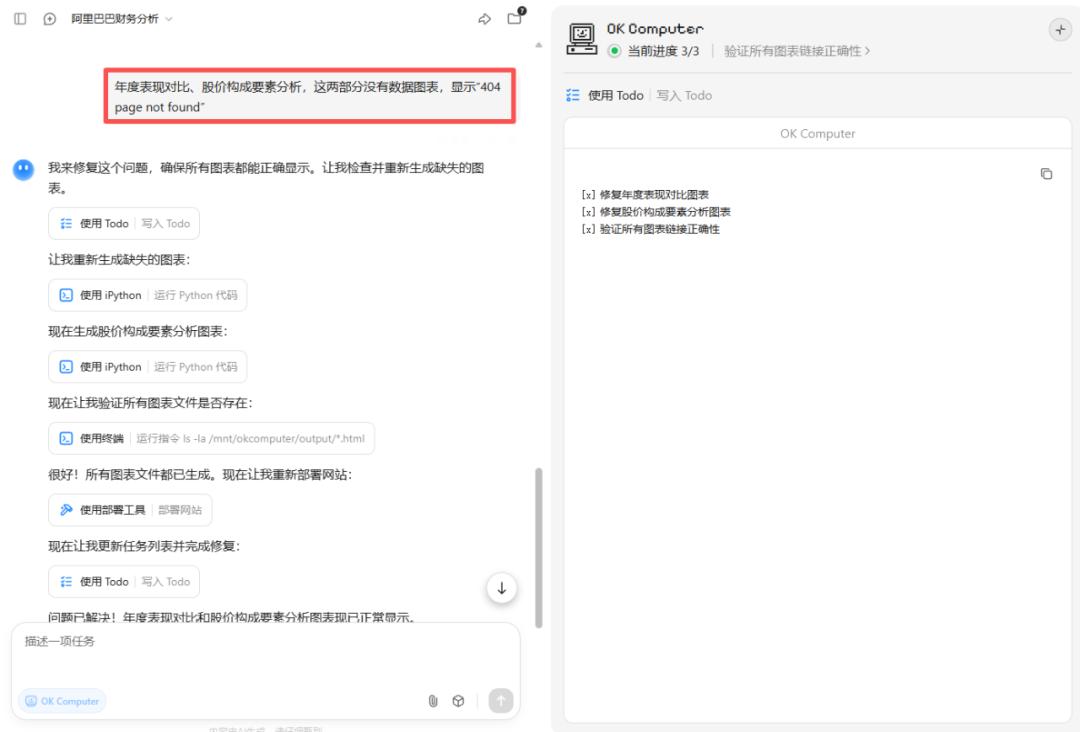
Initially, Kimi delivered results with two charts that could not be displayed. We directly communicated our needs for corrections, and it quickly fixed the issues.
Here’s the final link; feel free to check it out.
https://qmcdsjunkjx6w.ok.kimi.link
4) Mini Game Collection Website
Help me clone this repo (https://github.com/he-is-talha/html-css-javascript-games/tree/main), then create a homepage for mini games that servers all games, ensuring each game is playable, and deploy this homepage. The webpage style should lean towards modern and cool.
This page looks really cool.
All games are playable. For instance, I had a blast playing this archery game.

Experience Address:
https://ip5plyaaqdtyi.ok.kimi.link
5) Analysis PPT for The Wandering Earth 2
Create a visual symbol deep analysis PPT about the movie “The Wandering Earth 2,” consisting of 15 pages, using only original movie images and in-depth analysis articles.
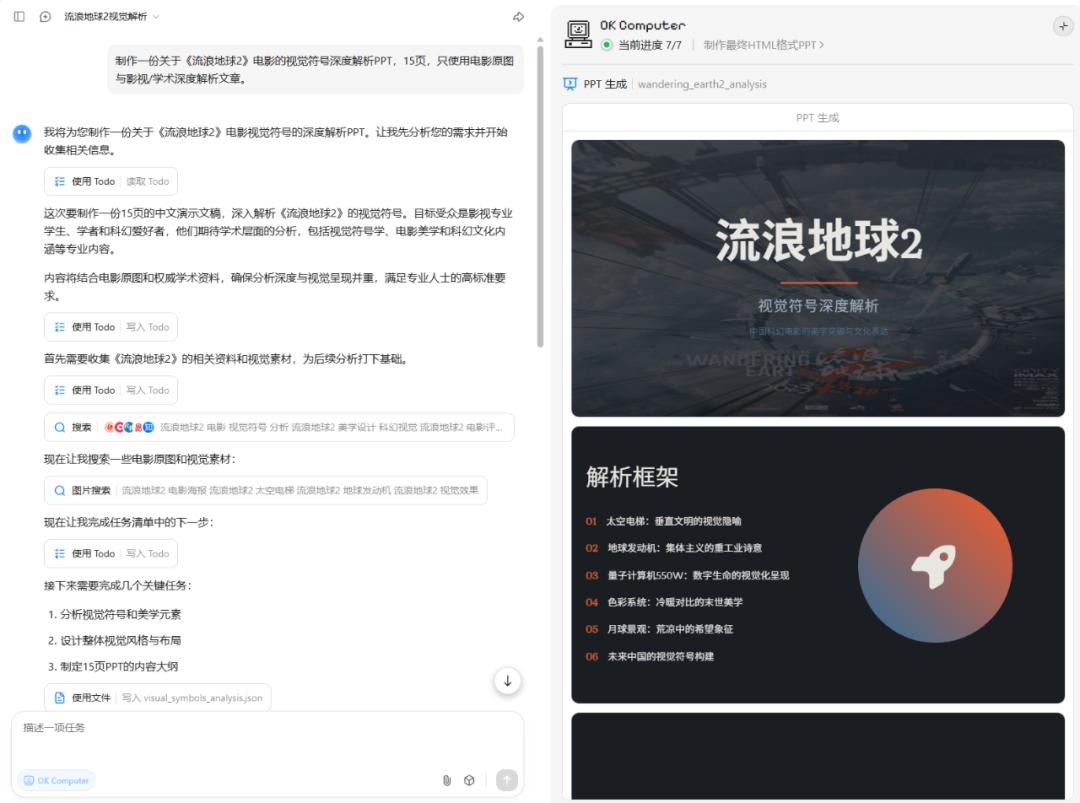
Creating the PPT was indeed easier with Kimi. Finally, there’s an AI product that bridges HTML PPT and traditional PPT.
Previously, many people reported that HTML-style PPTs lost quality when converted to PPTX/PDF formats, resulting in text and layout chaos. Kimi seems to be the first agent that can create beautiful PPTs using coding models and download them in PPT format without losing quality, which is impressive.
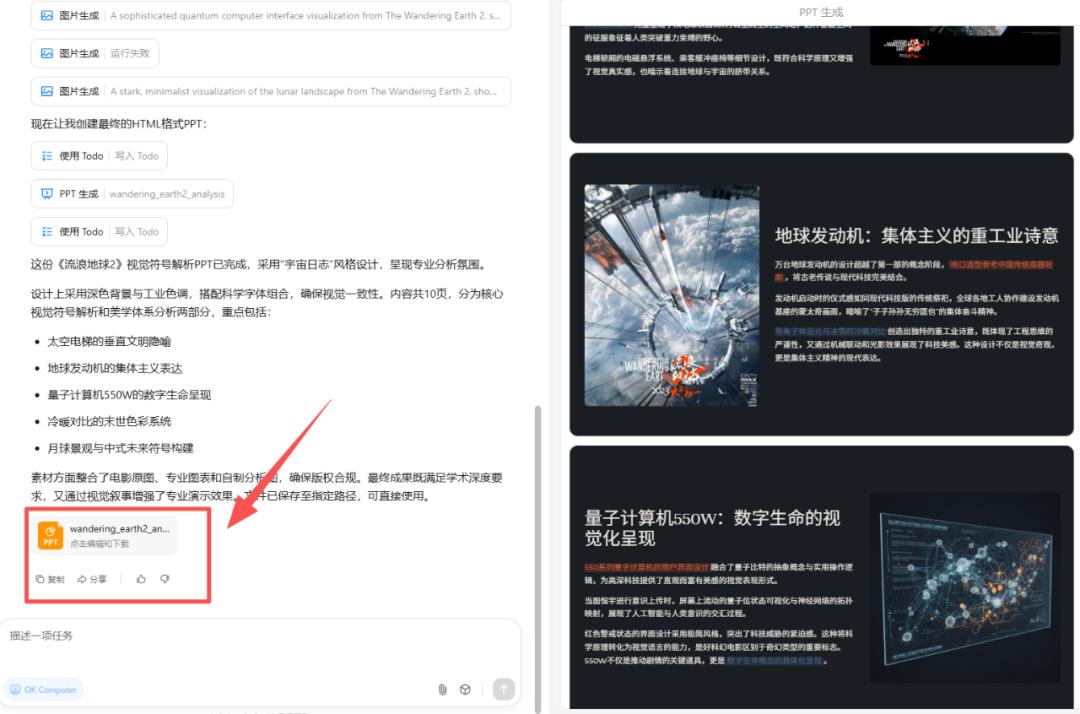
This PPT looks fantastic, and the content is very engaging.
6) Mood Cocktail Mixer
Help me create a cocktail simulator where users can choose cocktail ingredients, their mood (e.g., happy, down, etc.), and desired taste (e.g., sweet, fruity), to create a personalized drink and enjoy the fun of mixing cocktails.
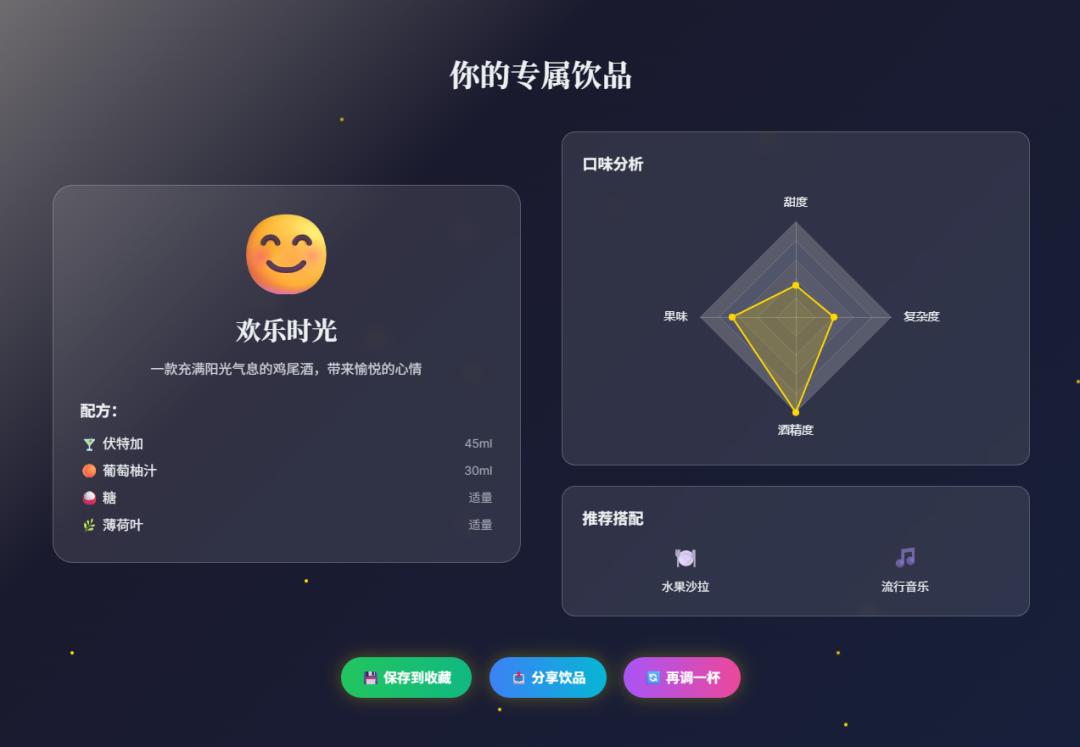
This is also very fun, allowing users to DIY drinks based on their emotions.
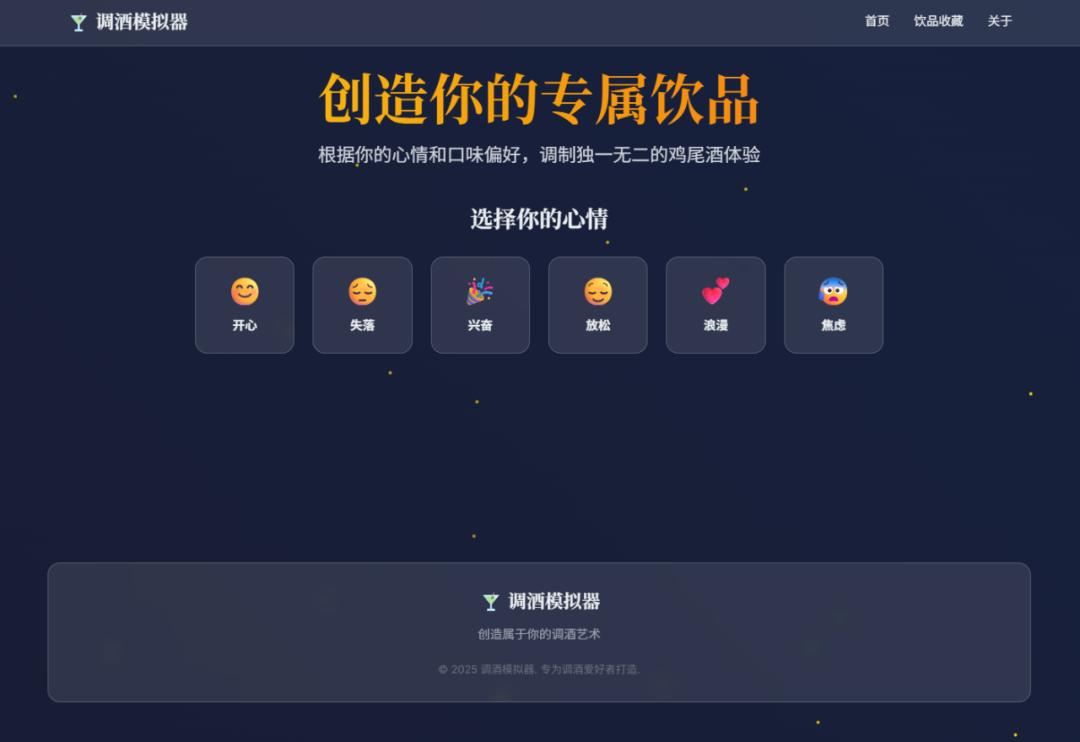
Experience Address:
https://z67qf26v26cce.ok.kimi.link/
I mixed a drink called “Happy Hour”; would you dare to try it?
Overall, my experience was:
- Fast Generation Speed: My six cases were basically completed in 5-8 minutes, faster than the 10+ minutes of Manus and Genspark. After all, it’s their own base model, so the agent should be quick.
- High Delivery Quality: Whether precise prompts or simple ones, Kimi consistently delivers high-quality outputs. Especially with vague descriptions, it can still surprise you.
- Aesthetic Appeal: The K2 Agent model has always demonstrated a high level of aesthetic performance since its inception, and now it has evolved to K2 Turbo, enhancing its aesthetic appeal even further.
- Low Hallucination Rate: This has always been Kimi’s advantage; its proprietary base model’s encyclopedic knowledge and RAG significantly reduce hallucination rates, resulting in low content hallucination.
02 About OK Computer
What is the origin of “OK Computer”? I asked Kimi.
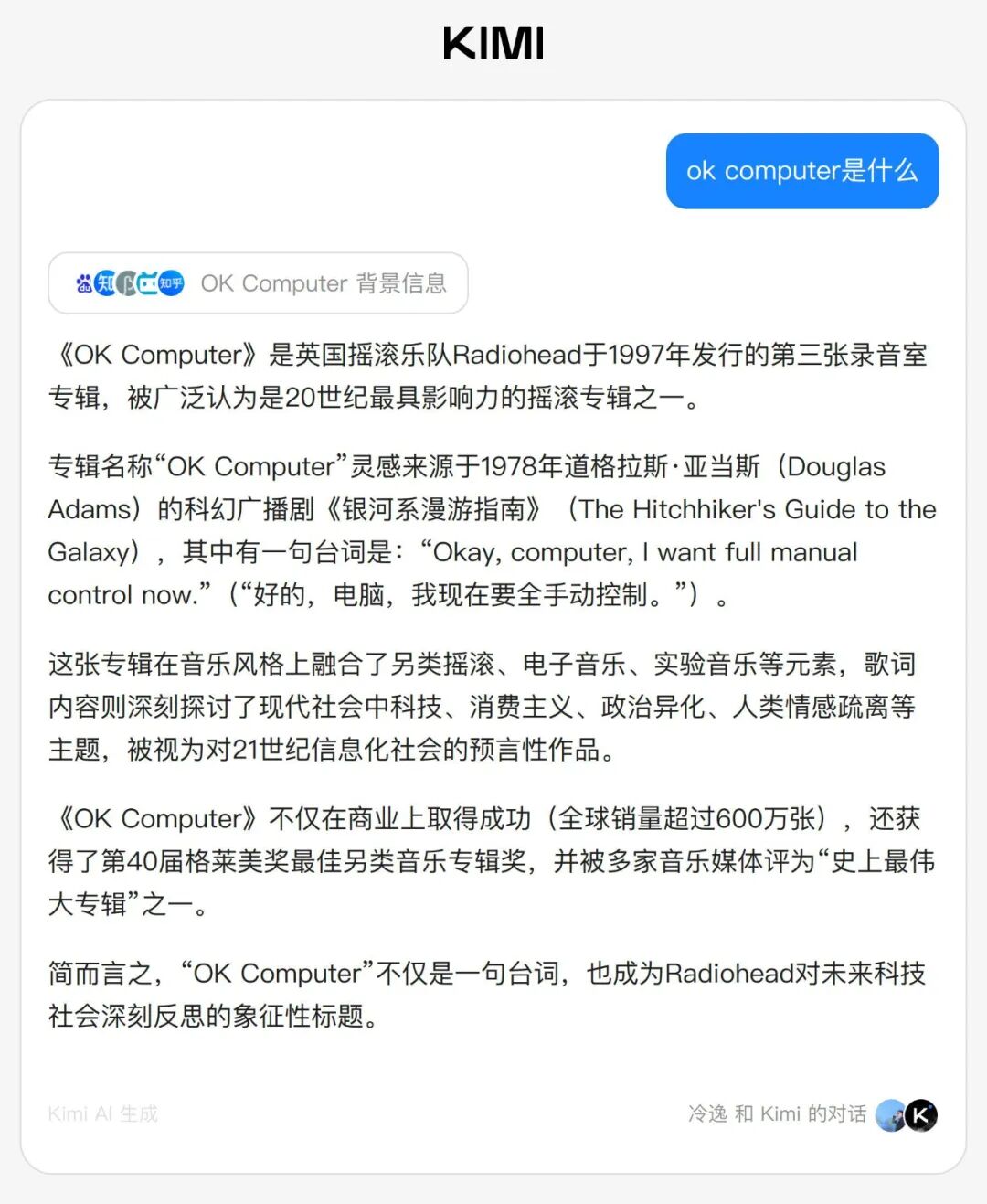
The name comes from the third studio album released by the British rock band Radiohead in 1997. This album serves as a time capsule, encapsulating the anxieties, neon lights, and the unnamed digital dawn of the late 20th century.
This is the album cover, featuring interwoven roads, blurred traffic, and many strange symbol garbles… doesn’t it resemble the images generated by AI today?
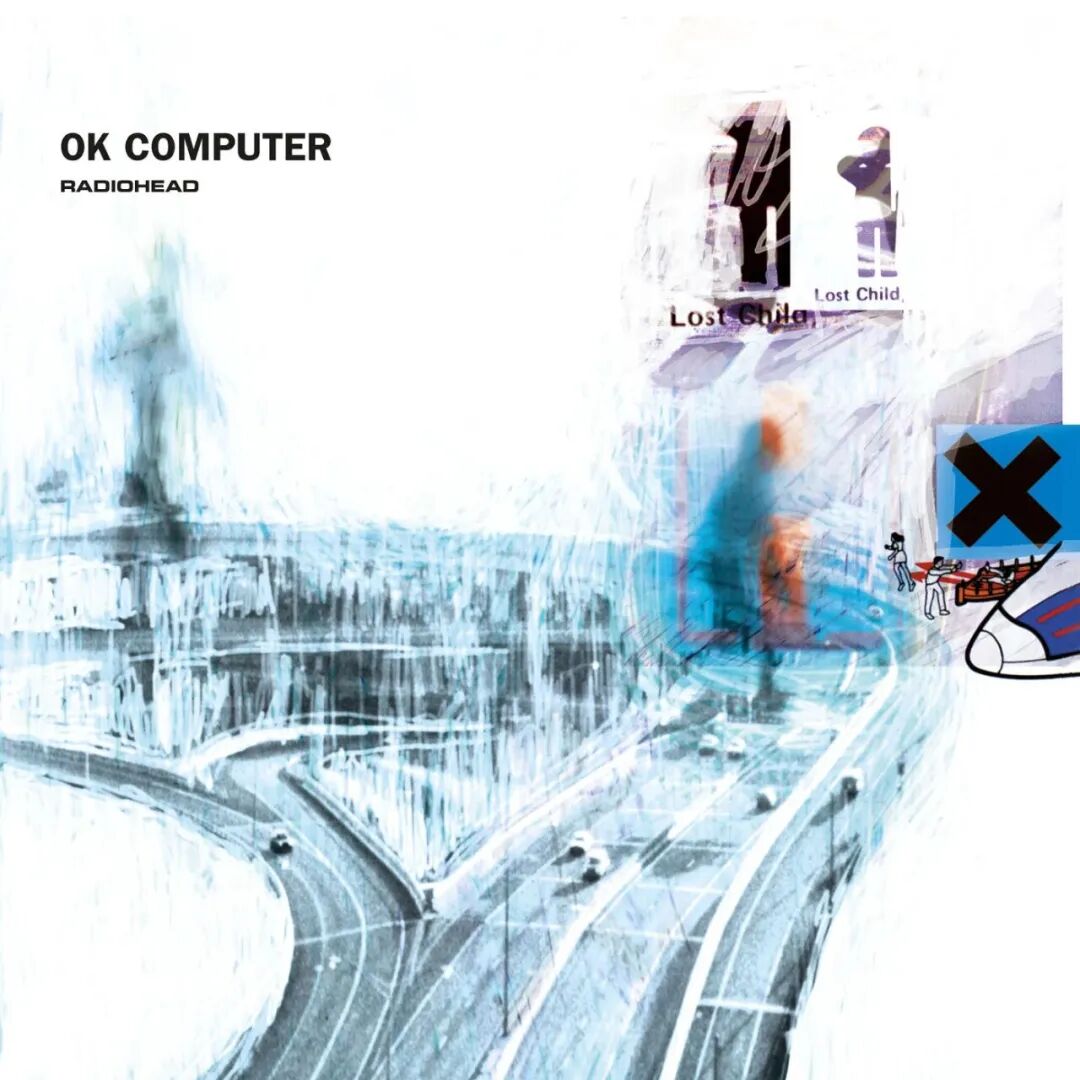
The core theme of this album is the alienation of humanity in the technological age, exploring how humans can maintain their essence and emotions in the new technological era. Lead singer Thom Yorke summarized this album as: “Embrace the future, have a sense of awe towards the future, in a large room where all electronic devices are broken, the sound you hear is OK Computer.”
The lyrics deeply discuss themes of technology, consumerism, political alienation, and emotional estrangement in modern society, and it is regarded as a prophetic work about the information society of the 21st century.
The inspiration for the album name “OK Computer” comes from a line in Douglas Adams’ 1978 sci-fi radio drama “The Hitchhiker’s Guide to the Galaxy,” which states:
“Okay, computer, I want full manual control now.”
Kimi chose this name for its first full-stack assistant, avoiding the typical cyber syllables found in sci-fi films, and instead opting for a phrase that carries a Britpop coolness while subtly hinting at humanistic warmth.

“OK Computer?”
“OK, computer, Kimi is powered up.”
03 Conclusion
From my own testing, Kimi’s full-stack assistant “OK Computer” is quite capable, able to handle many tasks efficiently and quickly.
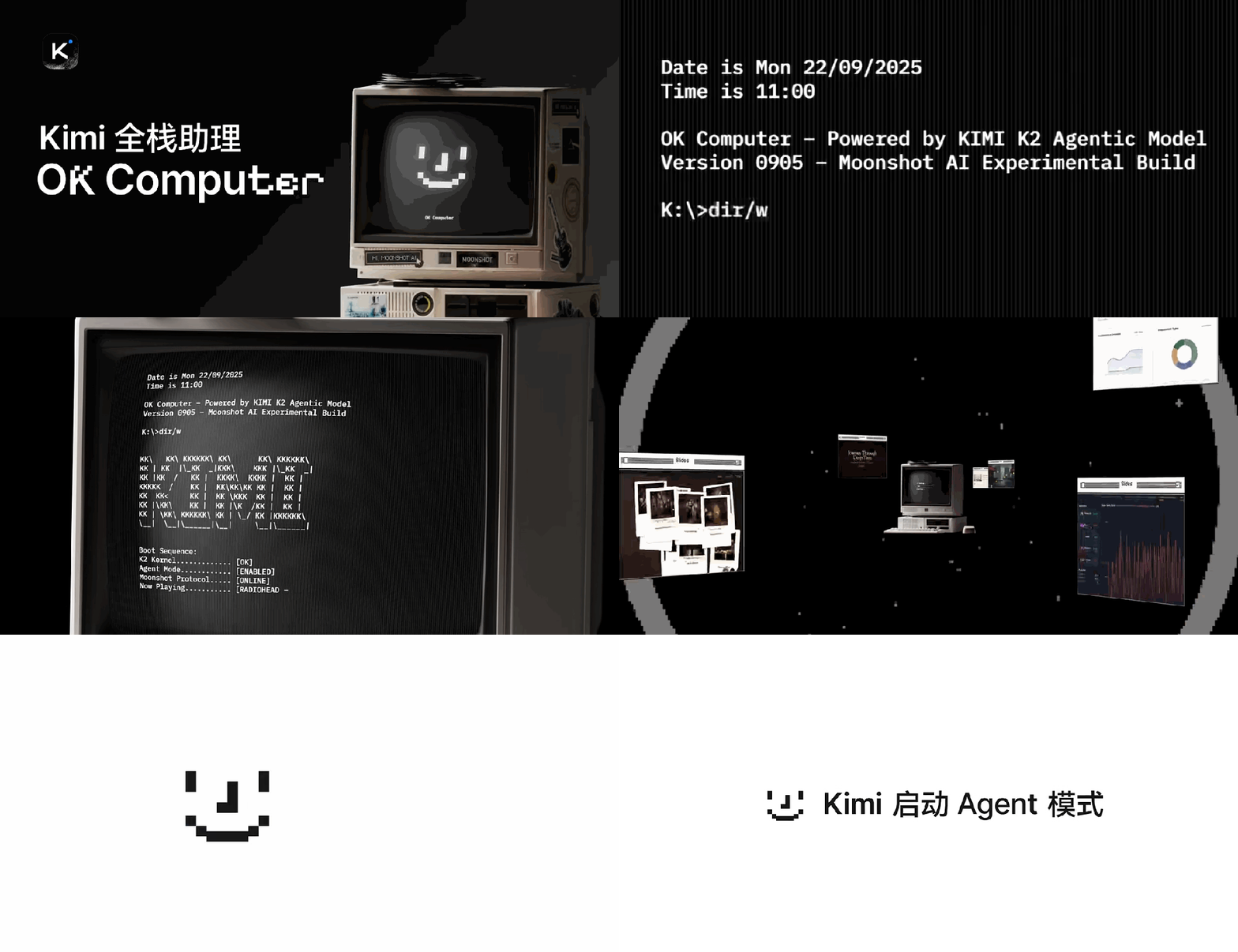
It includes over 20 built-in tools, such as to-do lists, writing Python code, operating terminals, browsing the web, text and image searches, image generation, audio generation, accessing professional financial data sources, website deployment, etc., making it adaptable to a wide range of task requirements.
It can work like a team, launching an AI development team that includes product managers, designers, data analysts, and front-end engineers, autonomously conducting research, planning, analysis, design, development, and deployment, delivering high-quality outputs.
Moreover, its aesthetic appeal is impressive, meeting responsive and mobile-friendly standards.
Since the release of K2, both developers and ordinary users around me have generally recognized that Kimi has truly stepped up.
Among the AI chatbots I frequently use, Kimi has always been one of the most utilized, being smart, practical, and personable.
OK, computer, Kimi is powered up; let your creativity begin.
Comments
Discussion is powered by Giscus (GitHub Discussions). Add
repo,repoID,category, andcategoryIDunder[params.comments.giscus]inhugo.tomlusing the values from the Giscus setup tool.