Cursor vs Copilot: Comparing Stability of AI Programming Tools
Cursor and GitHub Copilot both aim to enhance coding stability, but they achieve this in fundamentally different ways. While one excels in large project refactoring, the other shines in rapid line completion.
Defining Stability
Both tools address the core issue of generating reliable and usable AI code, but their definitions of stability cater to different scenarios. Copilot focuses on immediate response and flow coherence, striving to provide a highly probable correct next line or segment of code within 150 milliseconds after pressing enter. In contrast, Cursor emphasizes cross-file collaboration and project-level code quality, ensuring that when modifying multiple files, no critical changes are overlooked, and the generated code adheres to project testing standards.
Key Differences: Project Complexity
The most significant difference between the two tools lies not in their models but in their adaptability to project complexity. This is evident across three technical aspects:
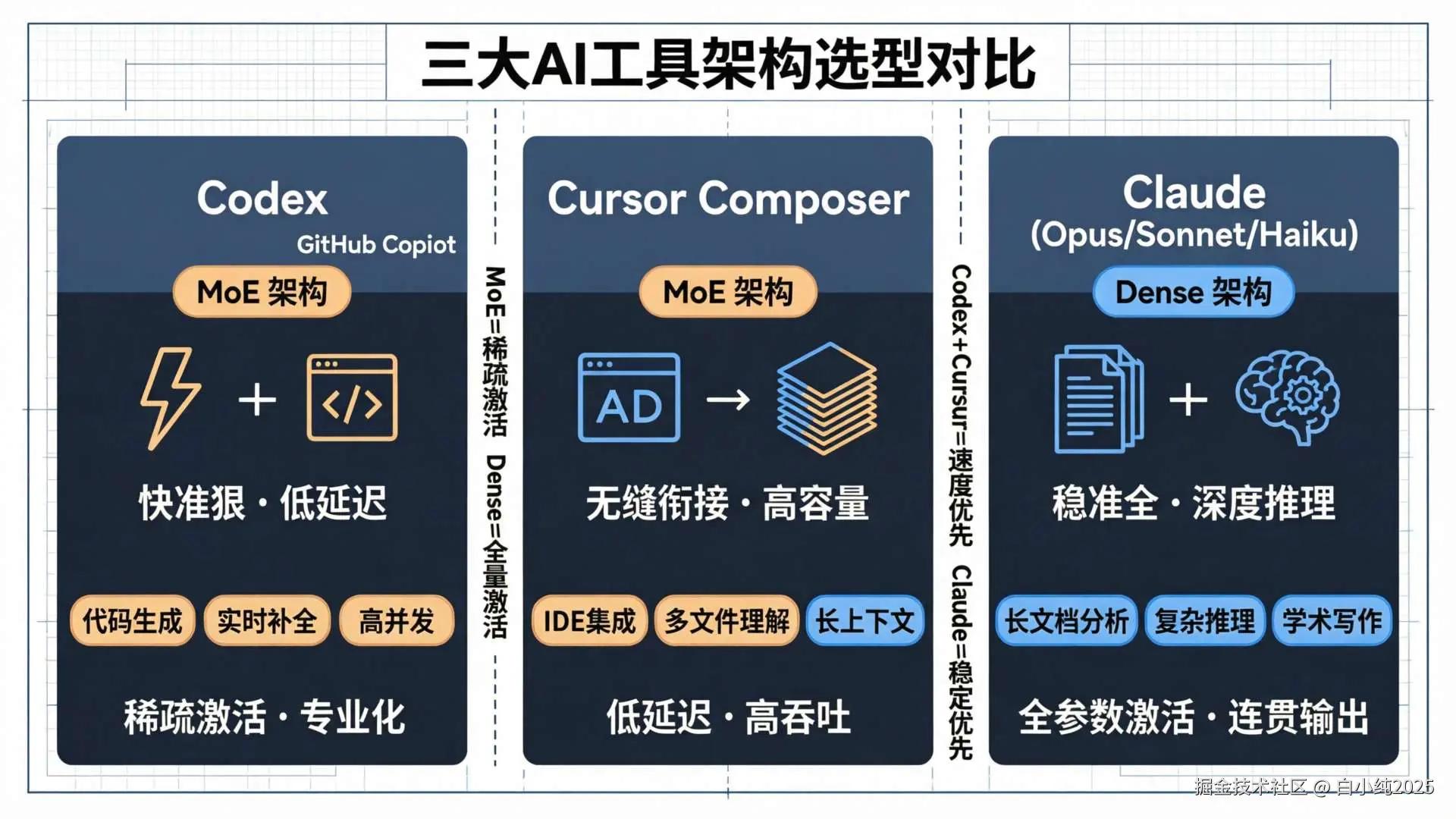
- Architecture and Response Strategy: Copilot uses a traditional Dense Transformer architecture, which consumes a lot of resources and shows noticeable delays in long tasks. This allows it to excel in single-line completions but may struggle with complex refactoring that requires understanding multiple files simultaneously.
Cursor, on the other hand, employs a self-developed MoE (Mixture of Experts) architecture that activates only a subset of expert networks, leading to higher resource efficiency. This architecture is inherently suited for parallel processing of multiple tasks and contexts, supporting its “Composer mode” for simultaneous modifications across files, though it may not respond as quickly as Copilot for simpler tasks.

- Context Handling Capability: This is where the distinction is most apparent. Copilot typically provides an 8K Token context window, which limits its cross-file awareness and can lead to key information being forgotten in large projects, resulting in code that may not align with other project components.
Cursor supports up to 128K Tokens natively and can precisely index any file within a project using commands like @file and @folder, allowing it to truly understand the project’s overall structure and generate consistent, correctly dependent code. In SWE-bench tests, Cursor was rated as “strong” in multi-file collaborative development scenarios, while Copilot was rated as “average”.
- Engineering Constraints: Cursor has built-in stronger engineering constraints. Through the project’s root directory’s .cursorrules file, developers can customize the AI’s adherence to coding standards, tech stacks, and architectural decisions. Its Bugbot self-healing debugging system claims a high repair success rate of 92% across the entire process of writing, testing, fixing, and validating code.
In contrast, Copilot relies more on IDE ecosystems (like VS Code’s Lint tools) and third-party review plugins for code standards, making it weaker in native project-level rule constraints.
Limitations of Cursor
However, Cursor’s stability is not without its limitations:
- For simple tasks or small projects: Cursor’s complex agent mode and large context loading may introduce unnecessary overhead, with response times for complex tasks around 3.5 seconds, which may disrupt the coding flow compared to Copilot’s instant completions.
- For users sensitive to network conditions: Users in certain regions report that Cursor’s reliance on models like Claude and GPT may lead to frequent disconnections due to network fluctuations, undermining basic usability stability.
- For teams reliant on strong IDE ecosystems: As a plugin, Copilot integrates seamlessly with existing development environments like VS Code and JetBrains, providing a level of stability that Cursor, as an independent IDE, needs to work harder to achieve.
Conclusion: Choosing the Right Tool for Your Needs
Ultimately, the differences in stability between Cursor and Copilot can be summarized as a choice between project scale and development mode:

-
When tackling complex projects, Cursor is more stable. If you are dealing with enterprise-level applications that involve numerous modules and complex dependencies, requiring frequent cross-file refactoring or strict adherence to coding standards, Cursor’s large context, project-level understanding, and strong engineering constraints provide more reliable and error-free assistance. Its stability is one of code quality and architectural consistency.
-
When focusing on smooth development, Copilot is more stable. If your work involves rapid iterations and writing business logic with relatively simple project file structures, Copilot’s lightning-fast completion speed and deeply integrated IDE experience can ensure your development flow remains uninterrupted. Its stability is one of development rhythm and response speed.
For most developers, the ideal combination may be to use Copilot for everyday high-frequency single-line completions and local coding, enjoying its smooth experience; and when facing complex refactoring, multi-file modifications, or needing a deep understanding of the project, bring in Cursor as your “project manager” to ensure overall stability. The stability of both tools is not mutually exclusive but complementary, together covering different dimensions and scenarios of modern software development.
Comments
Discussion is powered by Giscus (GitHub Discussions). Add
repo,repoID,category, andcategoryIDunder[params.comments.giscus]inhugo.tomlusing the values from the Giscus setup tool.